Android 11 5GHz WiFi 1080P Smart Projector Setup Tips
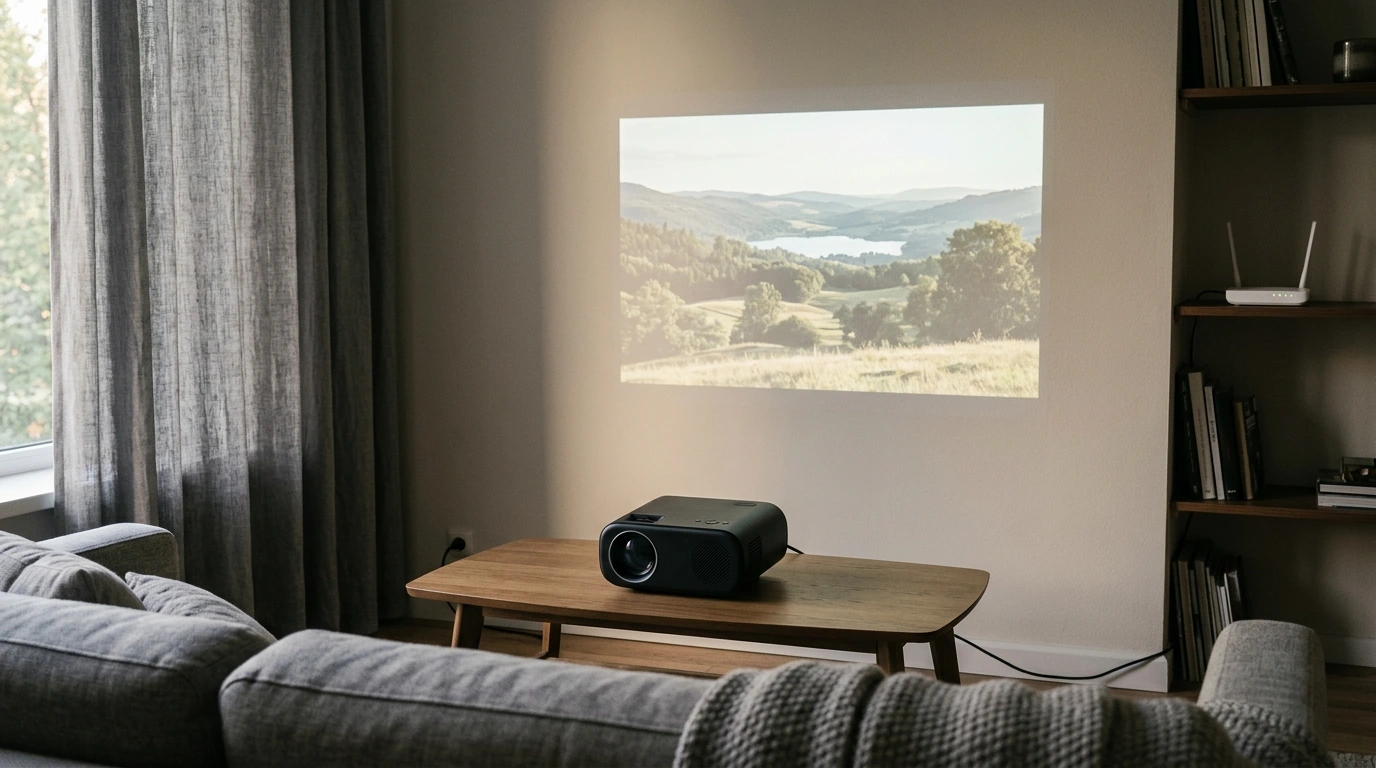
5G Wifi Android 11 Smart Full HD 1080P LED Projector: A Living-Room Upgrade That Travels Well
Movie night, game day, and last-minute presentations all get easier when the projector is already set up to run apps, connect quickly, and deliver a sharp Full HD picture. Our 5G Wifi Android 11 Smart Full HD 1080P LED Projector is built for flexible, everyday use—at home, in a dorm, or wherever a blank wall turns into a big screen.
What makes this projector feel “smart” from the first setup
A “smart” projector earns that label when you can go from power-on to play without stacking extra devices. Here’s what that looks like in real use:
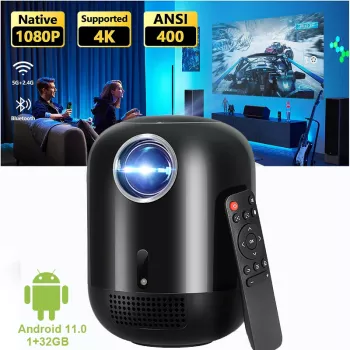
- Android 11 onboard: You can run streaming and media apps directly on the projector, which means fewer boxes, fewer cables, and a faster start when you just want to press play.
- 5 GHz Wi‑Fi (often called “5G WiFi”) support: In busy households—multiple phones, laptops, game consoles—5 GHz can help keep streaming steadier at short-to-medium range when your router supports it.
- Less clutter, simpler “hub” setup: When the projector itself can handle apps and wireless playback, your entertainment area stays cleaner—especially helpful in dorms, apartments, and shared spaces.
If you want a quick refresher on Wi‑Fi bands, the FCC’s consumer guidance is a helpful baseline: Wi‑Fi frequency bands and general wireless info.
Full HD 1080P picture: where it shows up most
Full HD (1920×1080) remains a practical sweet spot because it holds up well across everyday viewing—without demanding a perfectly blacked-out theater room to look “good.” Where you’ll notice it most:
- Cleaner edges and better detail: Movies, series, sports, and console gaming look more defined than basic HD—especially on faces, uniforms, field lines, and fast-moving scenes.
- Subtitles and menus stay readable: Projectors often get used for streaming interfaces, captions, and settings screens. 1080P helps small text look less fuzzy at larger sizes.
- Better results with the right surface: A smooth, light-colored wall can work, but a proper screen (even a simple one) often improves uniformity and perceived contrast.
If you’re planning a permanent spot, a projection calculator can help you think through distance and screen sizing before you rearrange furniture. Projector Central’s tools are a solid reference: Projection calculator and setup basics.
Simple placement rules for a better big-screen experience
Our team sees the same pattern again and again: small setup choices make a bigger difference than most people expect. These three rules are easy to follow and pay off immediately.
1) Start centered to reduce distortion
Place the projector as centered to your wall or screen as you can. When you begin with straight alignment, you rely less on keystone correction, and your image geometry looks more natural (especially for text, scoreboards, and subtitles).
2) Control room light for better contrast
Projectors benefit dramatically from reduced ambient light. Close curtains, turn off bright overhead lights, and use lamps behind the viewing area rather than shining toward the screen.
3) Make an audio plan early
Built-in sound is convenient for quick viewing, but larger rooms often feel “flat” without extra audio support. If your setup allows, pairing to external speakers is one of the fastest ways to make movie night feel more like a theater experience.
Best-use scenarios (and what to prep ahead of time)
This projector fits into a lot of real-life routines. Here are the scenarios we see most often, along with quick prep tips so you’re not troubleshooting five minutes into the event.
| Situation | Lighting plan | Surface | Audio plan |
|---|---|---|---|
| Living room movie night | Dim lamps / close curtains | Wall or screen | External speaker if room is large |
| Dorm room | Low ambient light | Wall | Compact speaker or headphones (if supported) |
| Backyard | After sunset | Screen/sheet pulled tight | Portable speaker |
| Presentation | Lower overhead lights if possible | Smooth wall/screen | Room speaker system if available |
Buying notes that save time later
For wired connections in general, HDMI is the common standard across streaming sticks, laptops, and many consoles. If you’re comparing devices, the official overview is here: HDMI specification overview.
In-stock picks from our store
- 5G Wifi Android 11 Smart Full HD 1080P LED Projector — $512.01 (in stock)
- Unlock the Page: Your Simple Guide to Getting Motivated to Read More Books (Digital Download) — $9.99 (in stock)
- Skin Microbiome Balance: Prebiotics + Probiotics Routine — $9.99 (in stock)
Product page: availability and checkout details
- Current price: $512.01 (USD)
- Availability: in stock
- Stock on hand: 199
- Next step: Use the product page for the latest checkout options and shipping details: 5G Wifi Android 11 Smart Full HD 1080P LED Projector
FAQ
Does Android 11 mean a separate streaming device isn’t necessary?
Android 11 onboard lets you stream and run apps directly on the projector, so you can often skip a separate streaming stick. Some setups still prefer an external device for specific services or account workflows, but the main benefit is fewer extra boxes and cables.
What does 5G WiFi help with during streaming?
It refers to 5 GHz Wi‑Fi band support, which typically offers faster speeds and less interference than 2.4 GHz at short-to-medium range. Your router compatibility and distance from the router still affect performance.
Is Full HD 1080P good enough for a large projected image?
Yes—1080P is a strong choice for a large image in most households, especially for movies, sports, and gaming. Perceived sharpness improves most when you nail focus, use a smooth surface, and keep room lighting under control.






Leave a comment